A branded live game that ran on time and can be used again.
Stryde Game Hub is a live event engagement platform that gives organizers a reusable way to run branded, interactive experiences. At its first deployment, 36 players competed in a team-based survey game while the room followed the action on the venue screen. Players buzz in on their phones and the host runs the whole thing from theirs. It was built for conferences, chamber and networking events, corporate gatherings, fundraisers, churches, and community nights. The first deployment centered on teams competing in front of the room. The larger direction is to create experiences that give more people meaningful ways to participate, including people who may not want to be on stage.
- Work
- Designed and built by Stryde
- Product
- Stryde Game Hub
- First live event
- August 21, 2026
- Results posted
- August 25, 2026
What happened in the room
MPowered Advantage LLC needed a branded survey game for ConnectFest XGames 2026. Stryde designed the experience around the organizer, the host, and the players, built the system, and supported its first live use on August 21, 2026.
- How long the segment ran, against the slot it was given
- 45 minutes, on a 45 minute slot
- Rounds finished without the game stalling
- 4 matches, 8 questions
- How many people played
- 36 players across six teams
- Setup time, from doors open to ready to play
- 15 to 20 minutes
A template would have worked. It just wouldn’t have been good.
Event planners already have ways to run a game-show segment. A slide deck with click-through reveals. A generic trivia tool. A spreadsheet for scores, and a laptop open on stage. These work, in the sense that the segment happens.
What they don’t do is make running the room easier. The reveal stalls while someone hunts for the right slide. Scores drift because they’re tracked by hand. The host gets anchored behind a laptop. And when something goes wrong, the audience gets to watch the recovery happen.
MPowered Advantage LLC, run by Sheryl and Brett Powers, needed a head-to-head survey game for ConnectFest XGames 2026, branded to the event and run live in front of an audience. The obvious build was one deck for one event. That’s the version that would have been thrown away on August 22.
There isn’t one audience. There are three.
The thing that changed everything was noticing that “the game” is really three different jobs, and they get in each other’s way.
The audience needs to see the board and nothing else. The host needs to see everything the audience can’t: every answer, every point value, every control. The organizer needs neither; they need to load questions and branding days before anyone walks into the room.
Build that as one screen and you get the failure everyone has watched happen: the answer key on the projector, the host squinting at a laptop, the stray click that reveals the wrong thing.
Three people, three different screens. Every decision after that one came from it.
Event Setup
Before doors open
Questions and answers from the vault, typed in or imported and kept in packs. Your logo, your color, the game’s name. All filled in ahead of time, never typed during the event.
The Host
Phone · Runs the game
Reveals answers, gives strikes, keeps score, changes rounds, undoes mistakes. Sees every answer and point value the room cannot.
The Live Scoreboard
Shared by every screen · The one version everyone reads
One running record per game: which answers are revealed, the strikes, the scores, whose turn it is, and the current question.
Joined by short code
The Big Screen
Venue display · Shows the board, plays the sound
The game board, and nothing else. The sound plays from here because this is the machine already wired to the room.
Three screens, each showing exactly what that person needs.
The Big Screen
What the whole room sees
The game board on the venue screen: the question, the answers as they get revealed, the points, the strikes, and each team’s score. Nothing else. No buttons, no answer key, no chance of the room seeing something it shouldn’t.
The music and sound effects play from this screen, because it is the one already plugged into the venue’s sound system.
The Host’s Phone
Runs the whole game from anywhere in the room
Only the host sees the question, every answer, and what each one is worth. From here they reveal answers, give strikes, keep score, move between rounds, and undo anything that goes wrong.
Built for a phone first, so the host can walk the room instead of standing behind a laptop. It opens in a web browser, so it works on whatever the room has. At ConnectFest the host ran it from her phone while a second person worked a laptop at the back.
Event Setup
Done before doors open
Questions and answers live in a question vault. Type them in or import a set you already have, and keep them in packs organised by audience and occasion, so the set you wrote for last year is ready for the next one. The organizer adds their logo, picks their color, and names the game whatever they want, then opens it and gets a short code the screens use to join.
Everything that makes it feel like your event, rather than a generic trivia app, is set up in advance. Teams buzz in on their own phones, so there is no equipment to rent or carry in.
What only the host sees
- Only you see this · Hidden on TV
- The question and every answer live on the host’s own screen. Neither is ever sent to the board. At ConnectFest the host held her phone tucked under her microphone so the teams standing beside her could not read the answers off it.
- Point values, revealed one at a time
- Each answer carries its score and its own reveal control, so the host paces the round.
- Undo, right at the top
- One tap from anywhere in the round, not buried in a menu. The host does not go hunting for it while a room waits.
- Screen status and where you are
- The host can see at a glance whether the big screen is still connected and which question they are on.
- Team buzzers
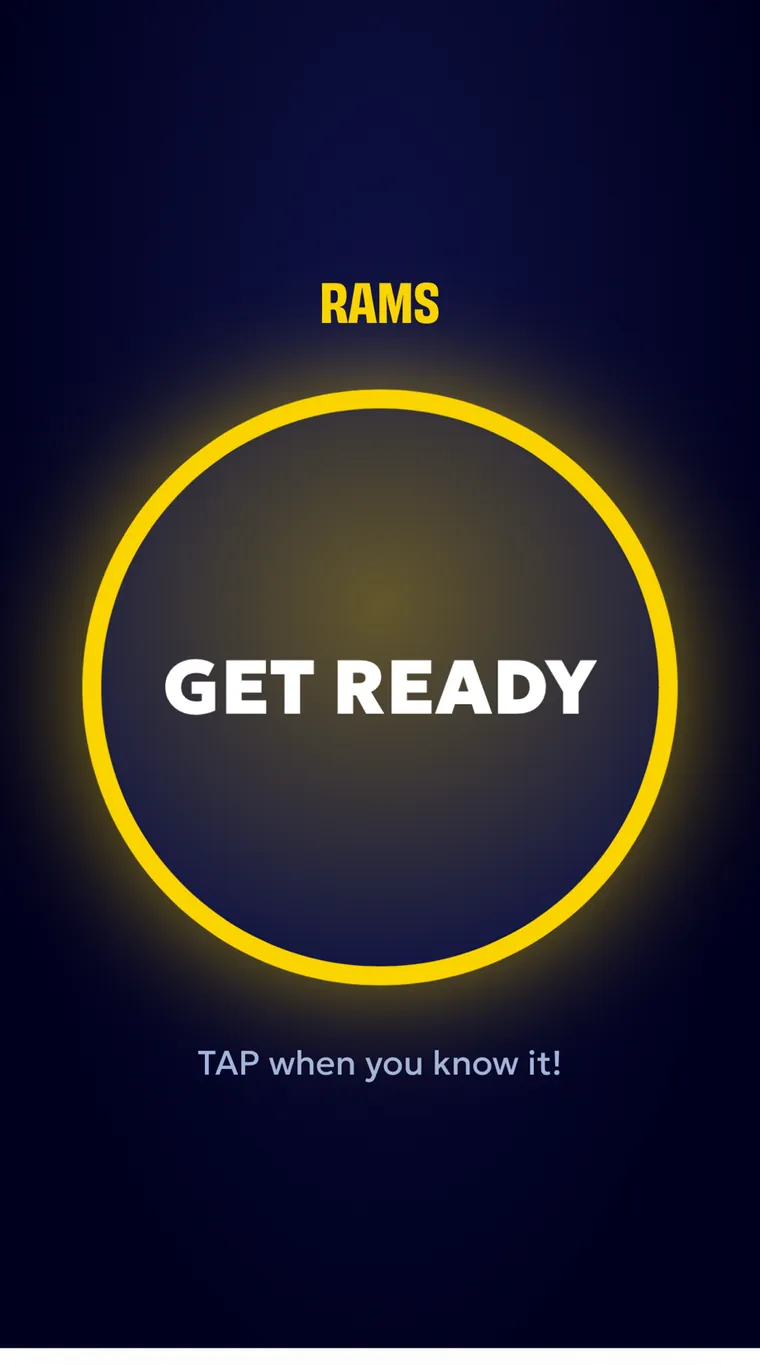
- Each team buzzes in on a phone, joined to the same game. The host opens the buzzers for a face-off and sees instantly who got there first. No buzzer hardware to rent, carry, or wire up.
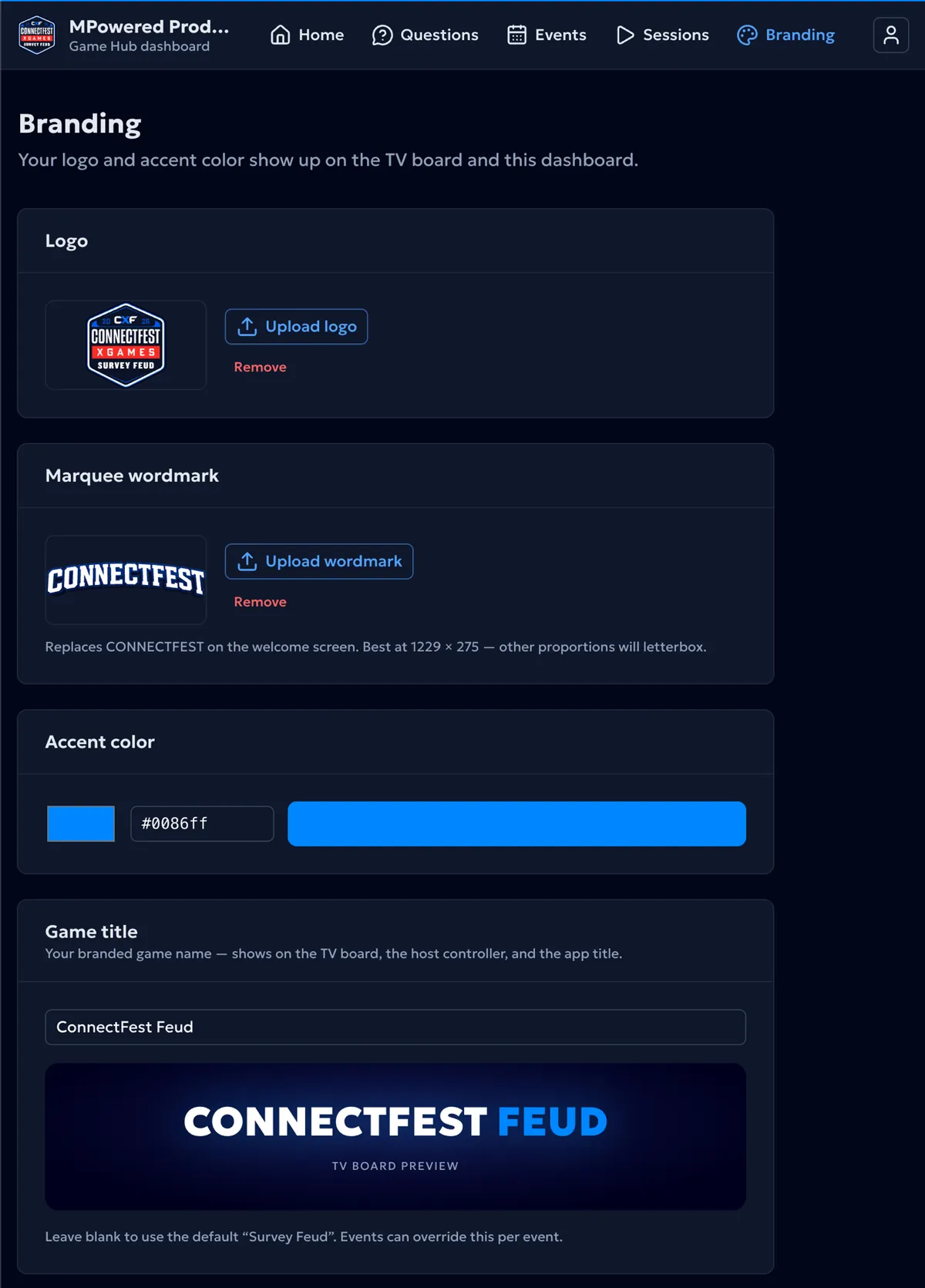
What the organizer sets up
- Your logo
- Uploaded once, then it appears on the game board in the room and across the dashboard your team works in.
- Your name on the welcome screen
- The wordmark the room sees on the big screen before the game starts. Upload your own and it replaces the default.
- Your color
- One value, typed in once, changes the game board and the whole dashboard. Using your brand color is a field you fill in, not a rebuild.
- Name the game, see it instantly
- Whatever you type shows up on the big screen and on the host’s phone, previewed as you type it. Leave it blank and it falls back to a sensible default, and any single event can override it.
- A vault for your questions
- Questions and answers are typed in or imported, and kept in packs organised by audience and occasion. The set written for one event is ready for the next one instead of being rebuilt. Not built yet: writing a pack from a prompt, and pulling the ranked answers from real survey sources instead of estimating them.
What a live room demands.
A live event gives you one take. There is no retry, no support ticket, and no fixing it tonight. A room is watching, and it is watching right now. Those limits shaped this more than any feature request did.
- Constraint: A mistake can’t be explained to a roomWhat it forced: Anything the host does can be undone
- Constraint: Nothing private can reach the projectorWhat it forced: The answers never go near the big screen
- Constraint: The host shouldn’t need a laptopWhat it forced: The whole game runs from a phone
- Constraint: Venue setup has to be fastWhat it forced: Screens join with a short code
- Constraint: Audio has to come from the presentation deviceWhat it forced: Sound plays from the big screen
- Constraint: Content can’t be written during the eventWhat it forced: Everything is loaded before doors open
- Constraint: Branding changes for every eventWhat it forced: Your logo and colors are settings, not code
- Constraint: It can’t be rebuilt for every clientWhat it forced: One system, set up fresh per event
ConnectFest XGames 2026.
It is built, and it has now run in front of a real room. The first one was ConnectFest XGames 2026, an event run by MPowered Advantage LLC, on August 21, 2026. In that room, the game was branded ConnectFest Feud.
First production deployment

ConnectFest XGames 2026
- Client
- MPowered Advantage LLC
- Principals
- Sheryl and Brett Powers
- Date
- August 21, 2026
- In the room
- ConnectFest Feud
Built and verified
- A big screen, a host’s phone, and team buzzers
- Anything the host does can be undone
- Every screen stays in sync
- Screens join with a short code
- Your branding, title, and sound as settings
Delivered on August 21
- Run it live on August 21, 2026
- Branded as ConnectFest Feud in the room
- The audience, the host, and the organizers all using it
The commitment
Results posted the week of August 25, 2026, including whatever went wrong.
What we prepared for, and what actually happened
Before the event, we documented the three risks we believed deserved the most attention: venue audio, conference Wi-Fi, and the host’s phone. None of those interrupted the game. The issue that did occur was different: the team buzzers did not activate correctly on the first attempt.
The lesson was not that preparing for the original risks was wasted. It was that a real deployment exposes problems testing and planning do not always predict.
Measured, not claimed.
How long the segment ran, against the slot it was given
Never timed45 minutes, on a 45 minute slot
Timed on the day against the slot the organizer gave it. · measured 2026-08-21
Rounds finished without the game stalling
Never counted4 matches, 8 questions
All four matches finished with no stall. Eight questions were played. A ninth was loaded as a spare tiebreaker in case two teams ended level, and was never needed. Recorded in the app as the game was played. · measured 2026-08-21
How many people played
Never counted. The previous format kept no record of who took part.36 players across six teams
Six teams of six competed. The event had 128 registered attendees; actual room attendance was not counted. · measured 2026-08-21
Setup time, from doors open to ready to play
Never timed15 to 20 minutes
Watched on the day rather than timed with a stopwatch, so it is written down as a range. · measured 2026-08-21
Screens or phones that dropped out during the game
Never measuredNo disconnects
Watched across the big screen, the host’s phone and the team buzzers. The app only remembers when each one last checked in, so this is what we saw rather than something the app counted. · measured 2026-08-21
Times undo was used to fix a mistake mid-game
Never used under pressure in front of a roomNone needed
Undo was used once, on purpose, and never to fix a mistake. Counted by the host: the app only keeps the last ten actions, so it does not store a running total. · measured 2026-08-21
The championship result
Never recordedTeam F won with 96 points
Recorded in the app as the game was played. · measured 2026-08-21
Times the built-in judge was asked to settle a close answer
Did not exist. Rulings were the host’s alone, argued in the room.15 or more
The host’s count, and deliberately a low estimate rather than an exact total: the app only stores the most recent ruling and the last ten actions, so no exact figure survives. · measured 2026-08-21
What broke
The buzzers did not work on the first try. One team answered by raising their hands for a question while it got sorted out, then the buzzers started working and someone in the audience shouted "it’s working!" That is the whole of it: one question played by hand, no scores lost, and no reason to stop the game. Worth separating the fault from the design. Buzzing in on a phone was not the problem. It worked for all six teams, and the one player who would have preferred a physical buzzer was stating a preference, not reporting a fault. The fault was in switching the buzzers on, and that one is mine. Before the event we wrote down the three risks we thought deserved the most attention. None of them interrupted the game. The issue that did occur was a different one, which is what a real deployment does: it exposes problems that testing and planning do not always predict.
The decisions underneath it.
Anything can be undone
The game keeps a running list of everything the host has done, so any of it can be taken back. A wrong reveal or a wrong score gets fixed without the room ever knowing. Undo stays silent on purpose: it does not replay the sound, so nothing draws attention to the fix.
The room only sees the board
The big screen and the host’s phone are two separate things, not one screen with parts hidden. The answers, the host’s notes, and the scoring never get sent to the big screen at all, so they cannot show up on it by accident.
Everything stays in sync
There is one shared game state behind the game holding the revealed answers, the strikes, the scores, whose turn it is, and which question is up. Every screen and every phone reads from that same one. Through the event it kept the host controls and the audience board synchronized as answers were revealed, scores changed, strikes landed, and rounds advanced. The team buzzers are simply two more phones reading it.
Screens join with a short code
The venue screen and the host’s phone connect by typing a few characters, on whatever display the room already has. There is nothing to install and no equipment to set up.
Your event, not a generic one
Your logo, your color, the name of the game, and the sound are saved as settings for your organization and for each event. Bringing on a new client means filling in their details, not building them a new game.
Name it, or don’t
An event can override your organization’s title, logo, and color, and your organization can override the default. If you do not care what the game is called, it still looks right. If you do, it says exactly what you want.
Sound is swappable
Every sound is filed by what it is for (an answer revealed, a strike, a round won, a face-off) rather than by its file name. That means swapping in a whole different set is a choice in a menu, not a rebuild. The set that ships is original and cleared for public and commercial events, which matters the moment there are sponsors or ticket sales involved.
Built to run the next one
The result is one system that gets set up for each new event, instead of a new build every time.
Because the questions, the branding, and the settings are all just filled in, adding another organization or another event is setup, not a new build.
Built with
Nuxt
The framework the big screen, the host’s phone, and the setup pages are all built on.
Nuxt UI
The building blocks for the host’s controls, which have to stay readable on a phone, in a dark room, under pressure.
Convex
The live scoreboard behind the game that every screen and phone reads from.
Runs in a browser
Nothing to download and nothing to install, on a phone, a laptop, or the venue screen. The sounds and graphics are saved after the first load, so a weak venue wifi signal cannot drop a sound effect mid-game.
Custom animation
The answer reveals, the strikes, the stage lighting, the score changes, and the team entrances were all built by hand, for a screen a room is watching rather than a screen one person is using.
Why everything stays in sync
Convex keeps one live scoreboard behind each game, so the big screen and the host’s phone always agree as answers get revealed, scores move, strikes land, and rounds change. It also settles the one real race in the room. When two teams hit their buzzers at nearly the same moment, the requests arrive in a single line and the first one through wins. Every later press does nothing. There is no photo finish to argue about from the stage. Your questions, branding, and sound work differently on purpose: those are saved well before the event and simply read in when the game opens, while the live scoreboard changes many times a minute with a room watching it.
The technology followed the experience, not the other way round. The live scoreboard exists because several screens have to agree about what just happened. It runs in a browser because the host needed the controls in their hand without asking a venue to install anything. The animation and sound exist because this is not only software someone uses. It is software a room watches. None of that is a house style. It is what this particular problem asked for.
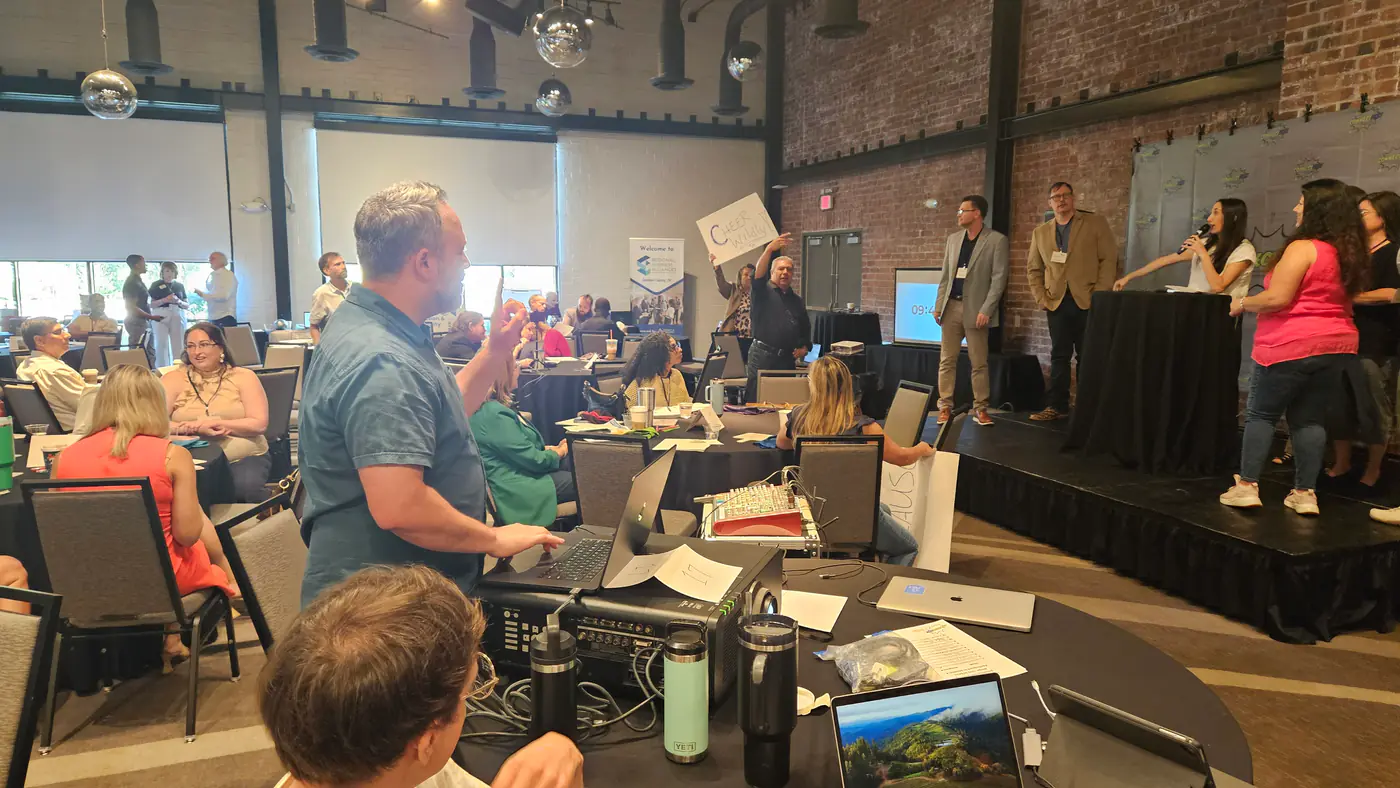
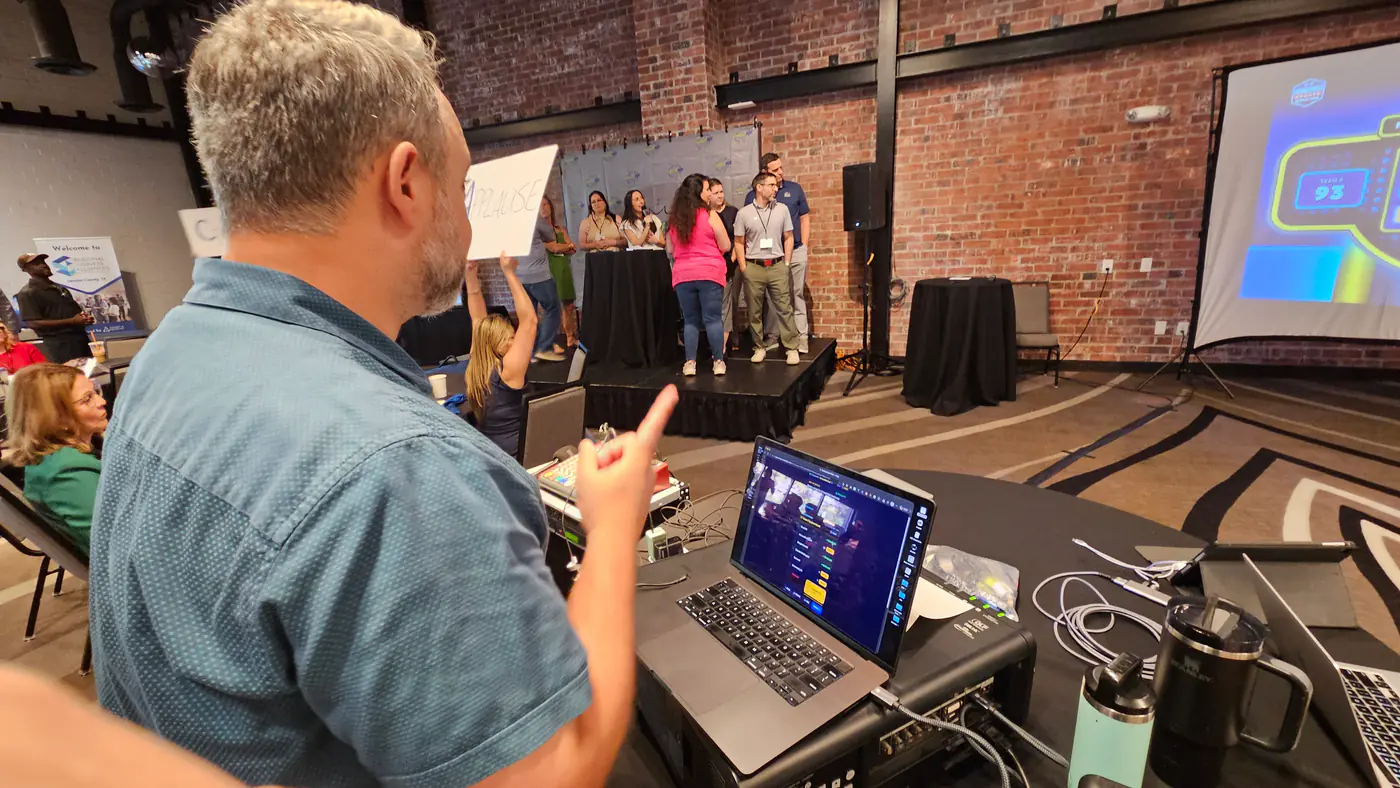
In the room
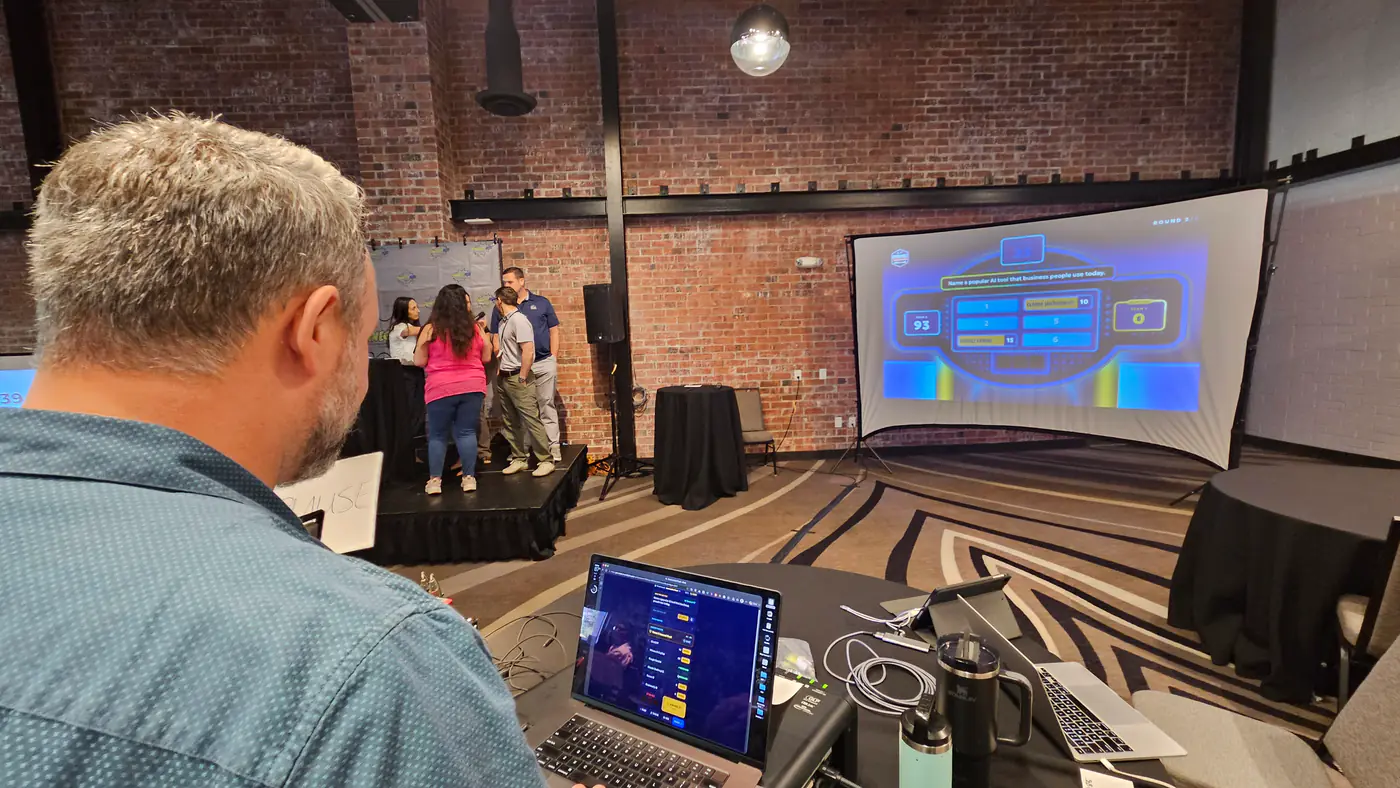
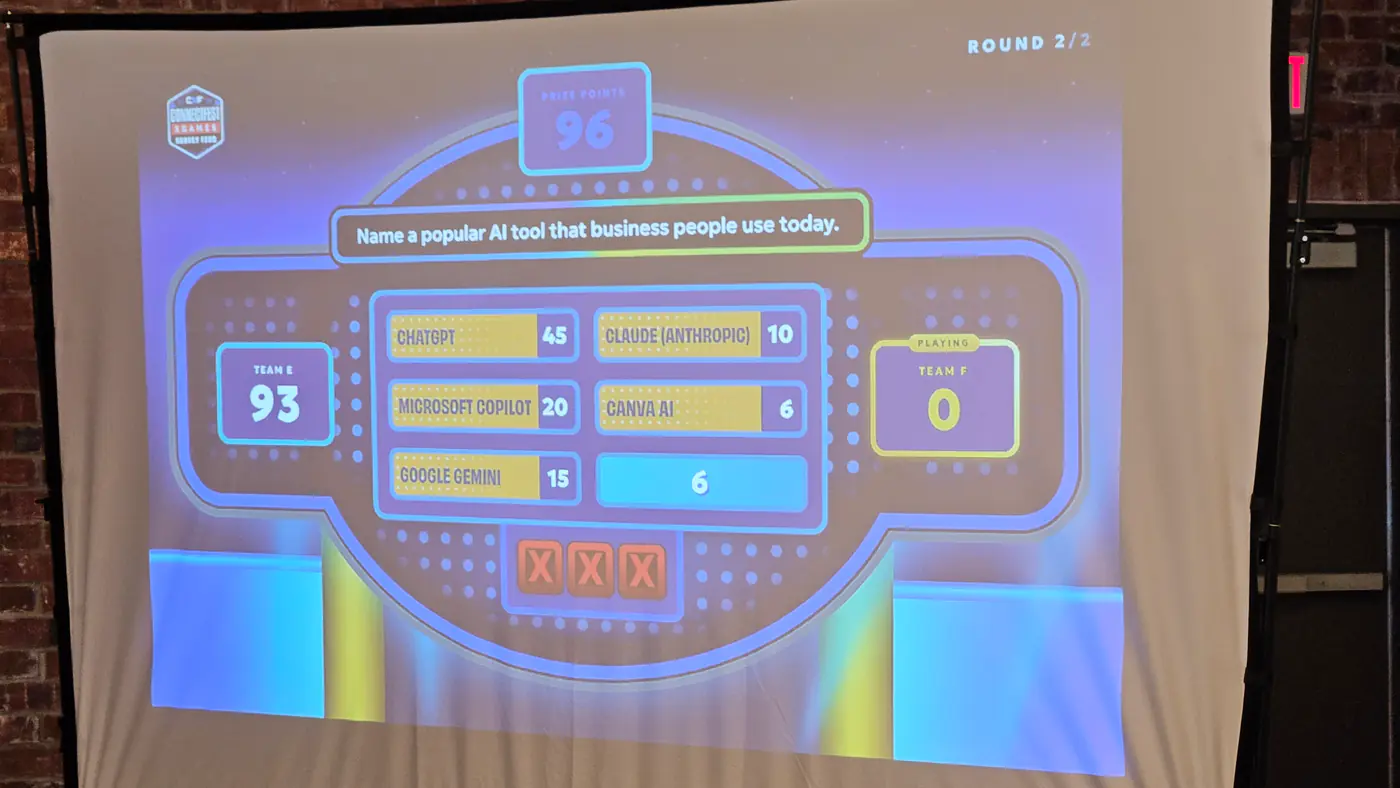
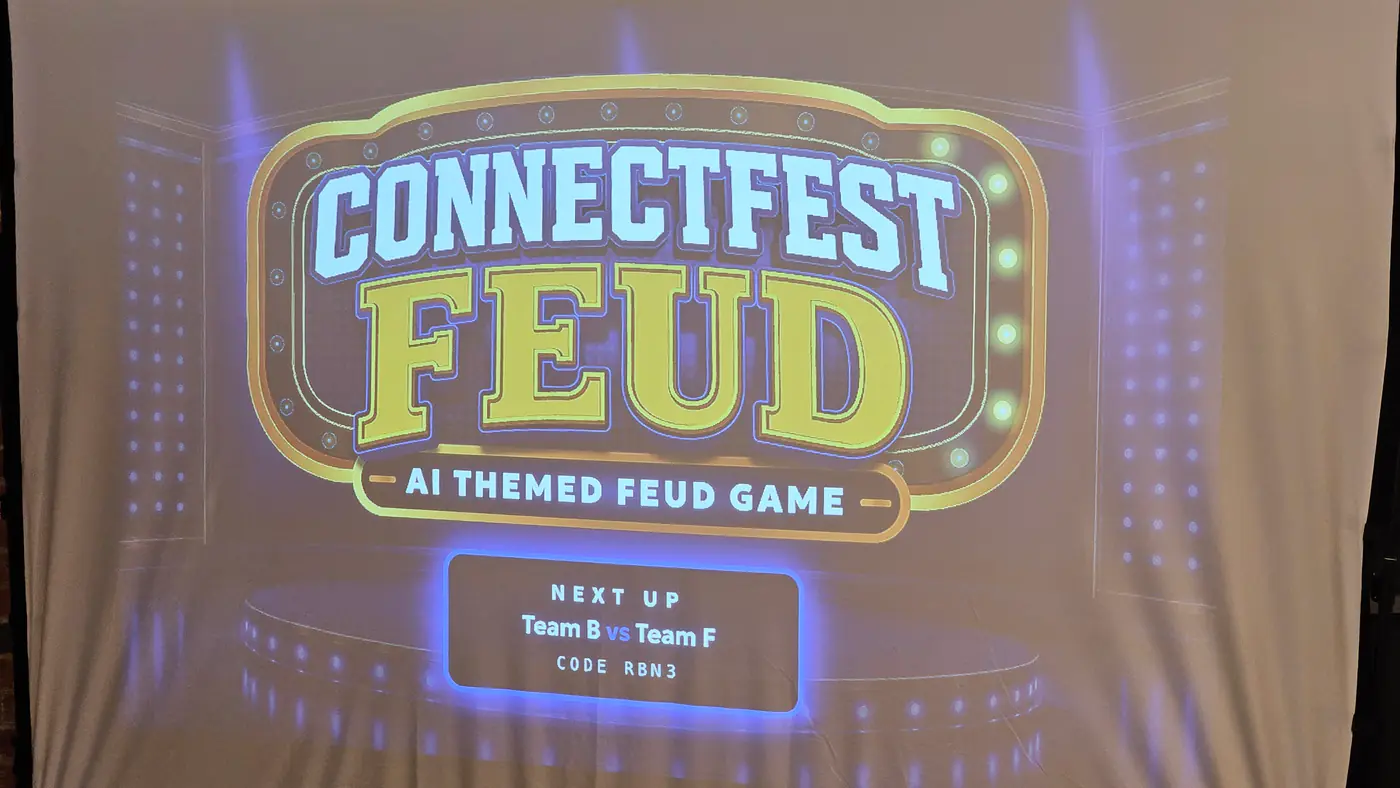
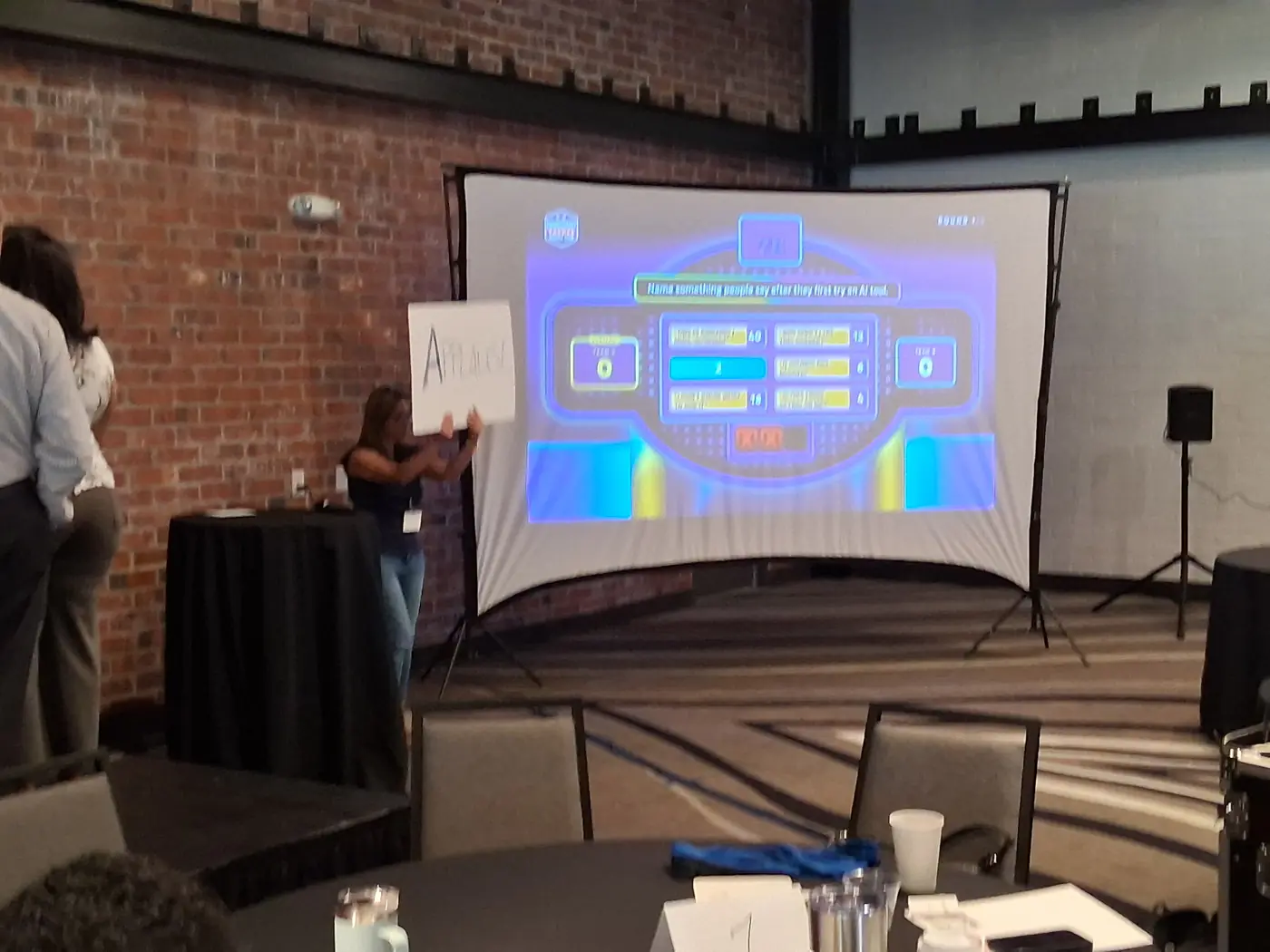
What this shows about working with Stryde.

Stryde started with the event and the people running it, then designed the technology around what they needed. The work continued into the live event, where we could see what held up, what went wrong, and what needed attention next.
It began as a question about a room rather than a question about software: how could technology make a live event more participatory without making it harder for the host or organizer to run? Answering that led to the experience, the screens, the game itself, the host’s controls, and finally a system that can be set up for the next event instead of rebuilt for it.
That same approach applies when a business needs a smoother customer experience, a more reliable process, or a new service put into use.
- 01
Find the real problem
- 02
Decide what to build
- 03
Design the experience
- 04
Build the system
- 05
Put it in a real room
What are you trying to make work better?
Tell BJ about the process, experience, or idea you want to improve. We’ll work out whether Stryde can help and what the next step should be. You don’t need to know which technology it needs.